Balance Sheet and P&L
Follow a figure without losing your place.
Open underlying details in a separate tab, highlight figures already visited and move directly from an account name to its setup.
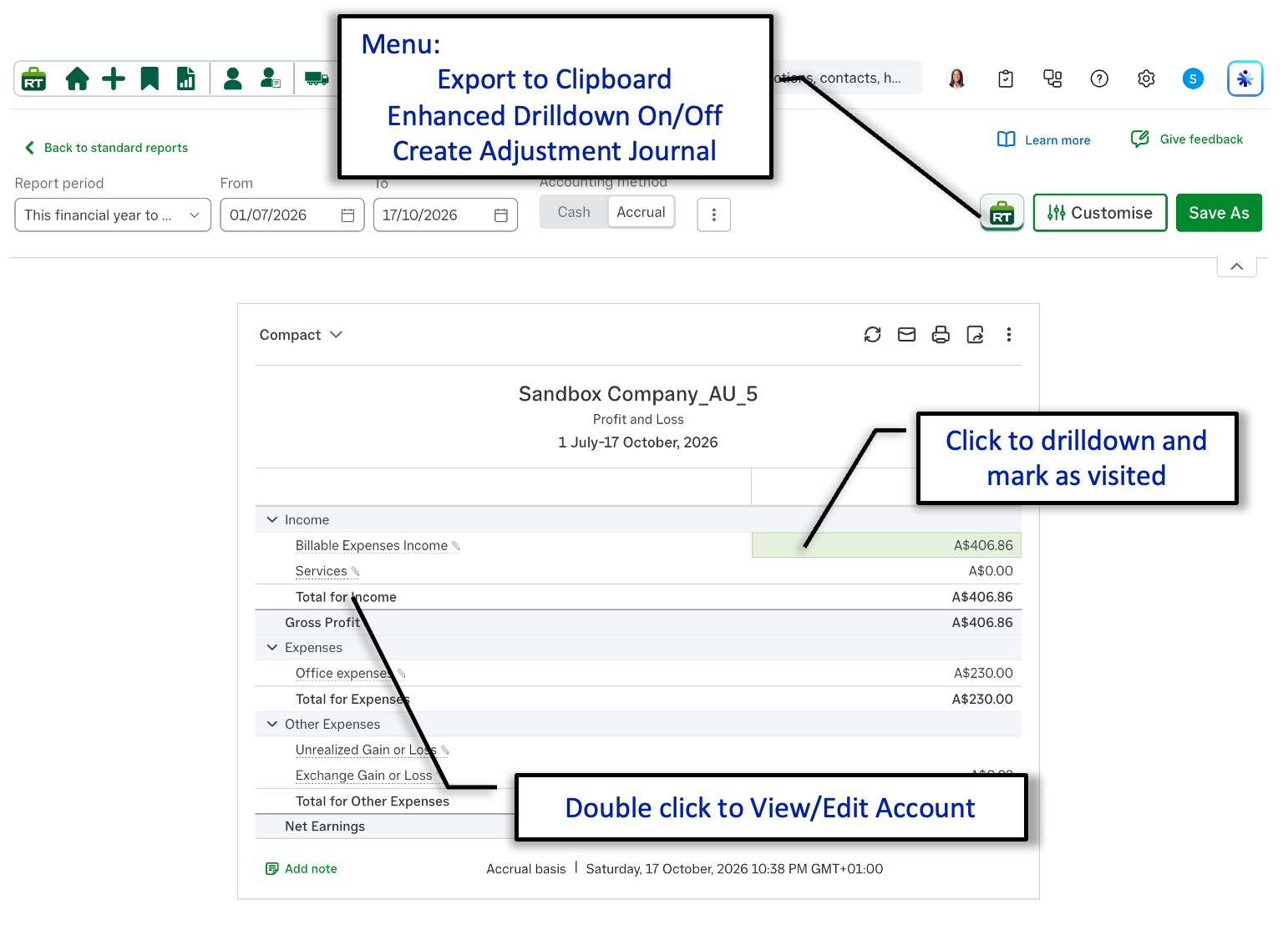
Export to clipboard
Copy the report for use in your preferred spreadsheet or other software.
Enhanced drill-down
Click a value to open its detail and mark the visited figure so progress remains clear.
Edit the account
Double-click an account name to open its details for viewing or editing.
Adjustment journal
Enter the required balance and let RachelsTools prepare the journal needed to adjust it.
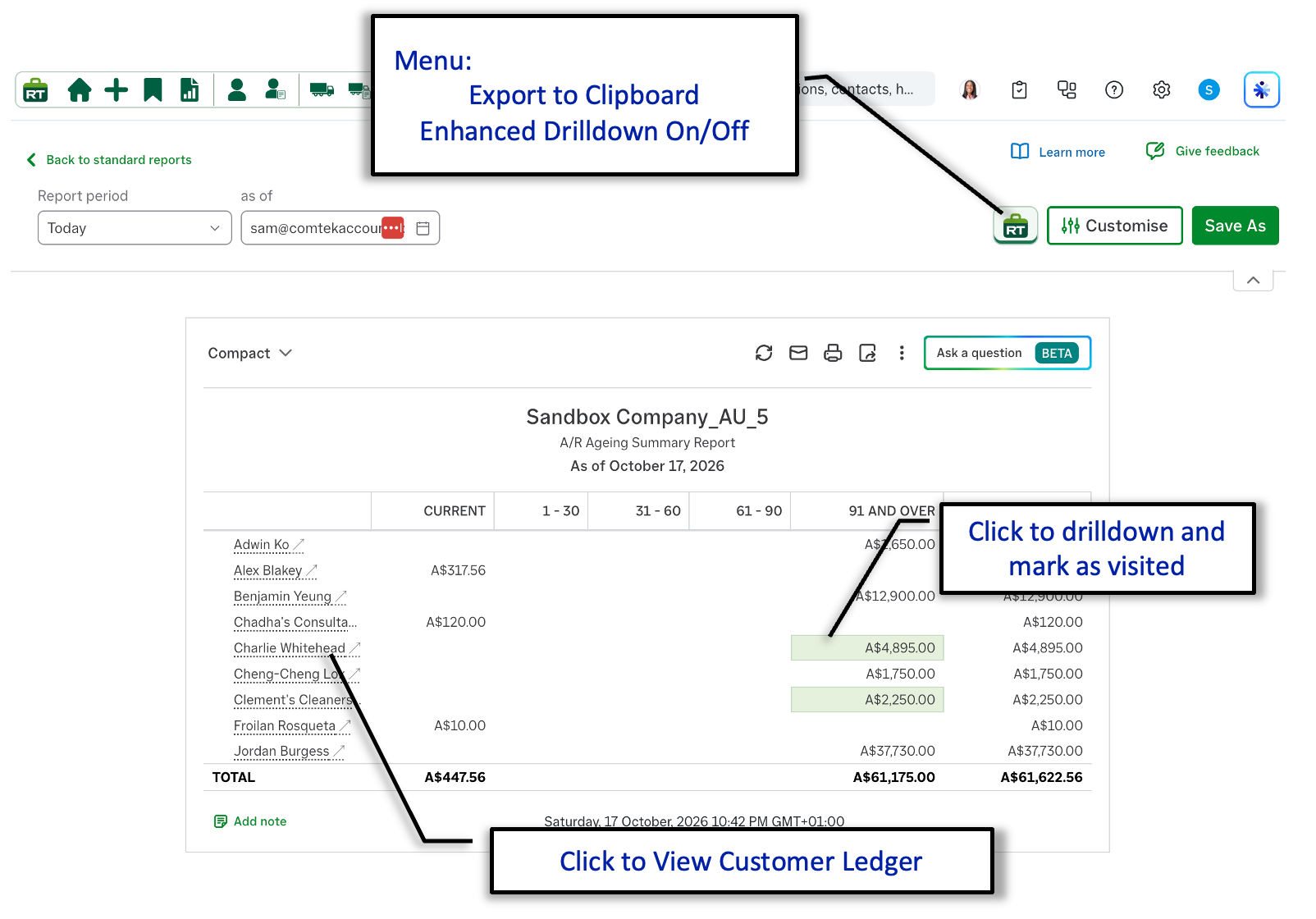
Aged debtors, creditors and receivables
Move from an aged balance to the relevant ledger.
The enhanced drill-down workflow also supports aged receivables, debtors and creditors reports, helping you investigate outstanding balances without losing your place.
- Export the report to the clipboard from the RachelsTools menu.
- Switch enhanced drill-down on or off for the report.
- Click an ageing value to open its detail and mark the visited figure.
- Click a customer or supplier name to open the relevant ledger directly.