Less searching
Continue recent work in a single click.
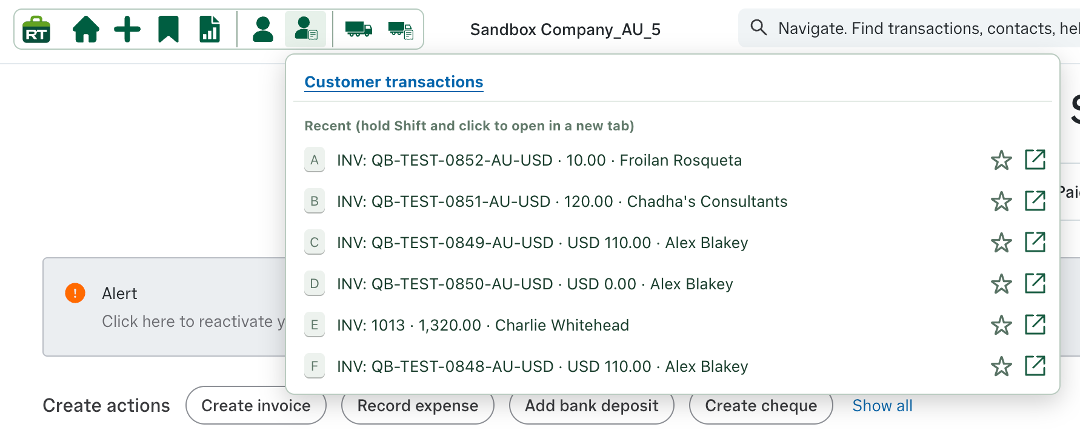
The recent-transactions shortcut keeps the customer work you have most recently accessed in a compact menu. Each row includes the transaction type and reference, value and customer name, making it easier to recognise the right item before opening it.
- Click an entry to return directly to the transaction.
- Hold Shift while clicking to open it in a new tab.
- Use the star to keep an important transaction among your favourites.
- Use the direct-opening control when you want to leave the menu in place.
Recent customers and favourites
Keep key customers above the changing recent list.
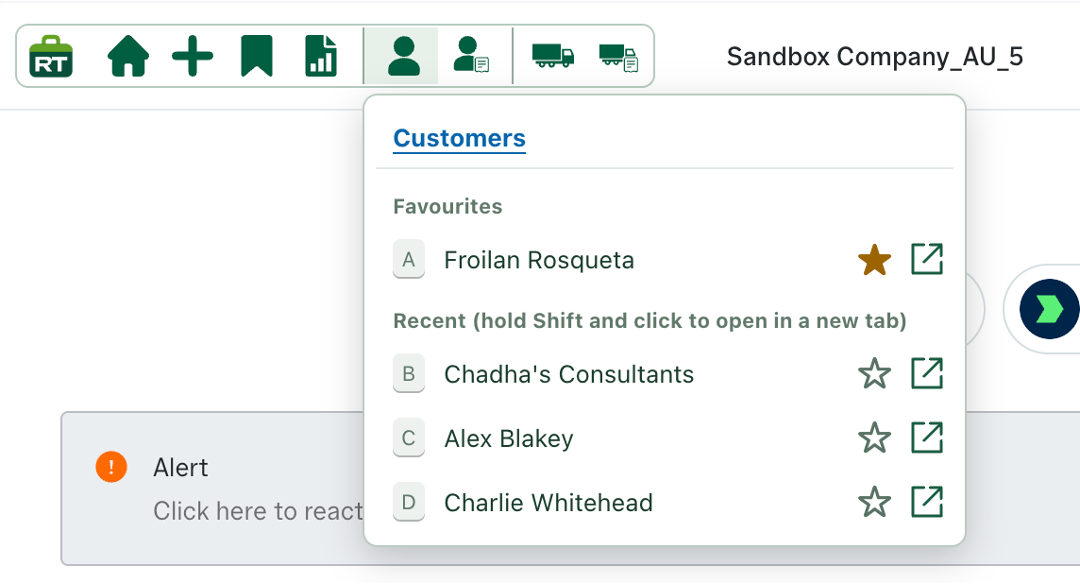
The Customers shortcut separates saved favourites from the contacts you have opened recently. Important customers stay at the top, while the recent list updates as you work.
- Select the star beside a customer to add or remove them from favourites.
- Click a customer to return to their account quickly.
- Hold Shift while clicking to open the customer in a new tab.
- Use the direct-opening icon when you want an immediate route to the customer record.