
Feature 39 · AI bank-reference search
Make sense of an unfamiliar bank description in one click.
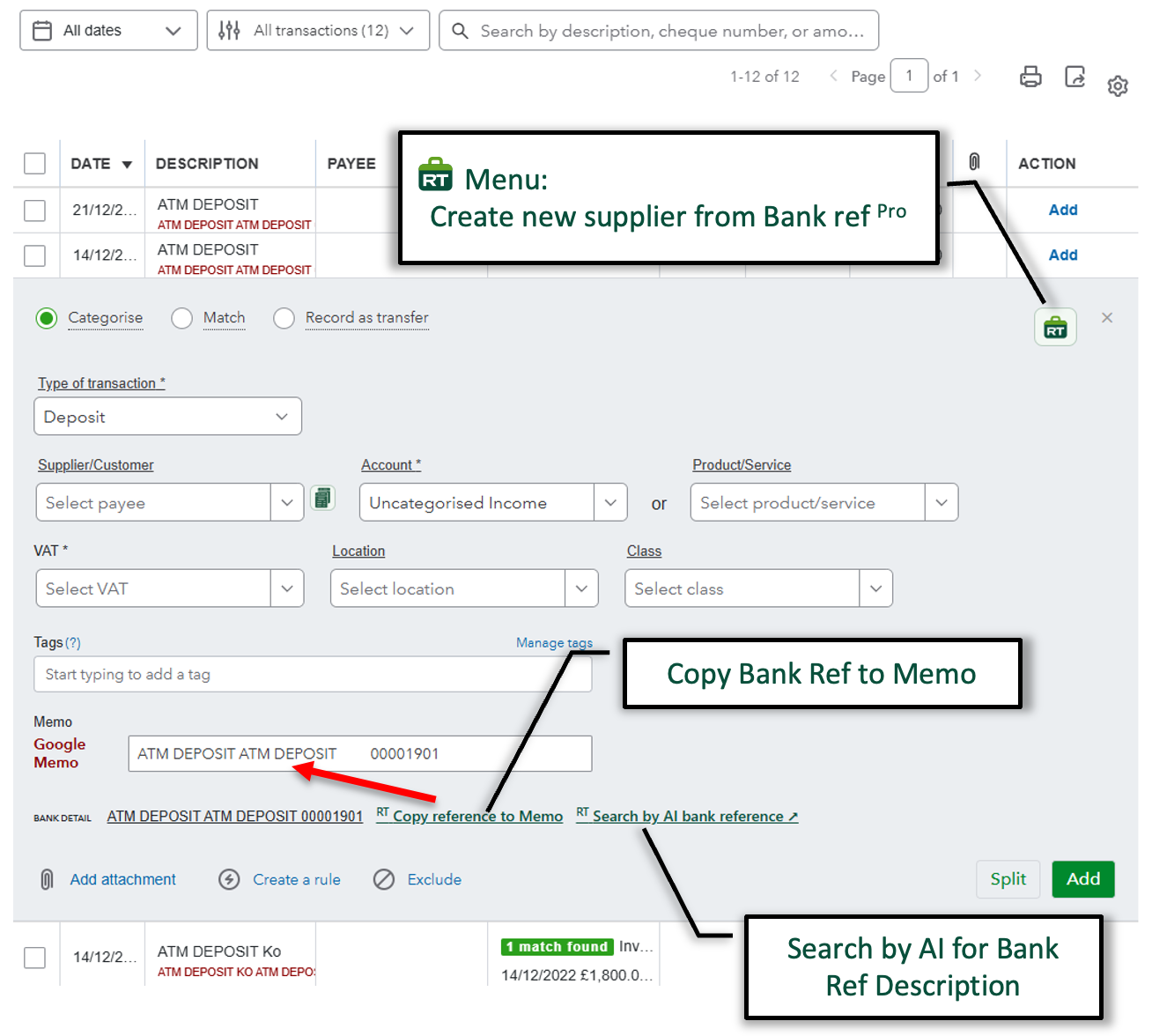
Bank feeds often arrive with shortened names, payment codes or references that mean little at first glance. RachelsTools places the reference beside the transaction and gives you a direct AI-assisted search, helping you identify the likely organisation or payment context without retyping the description into a separate search.
- Search the bank-reference description with AI directly from the transaction.
- Copy the complete bank reference into the memo so the original detail is preserved.
- Create a new supplier from the bank reference when the payee is not already available.
- Keep the search, memo and supplier actions beside the transaction you are categorising.
Feature 40 · Match enhancements
Find the right transaction—even when the reference or date is awkward.
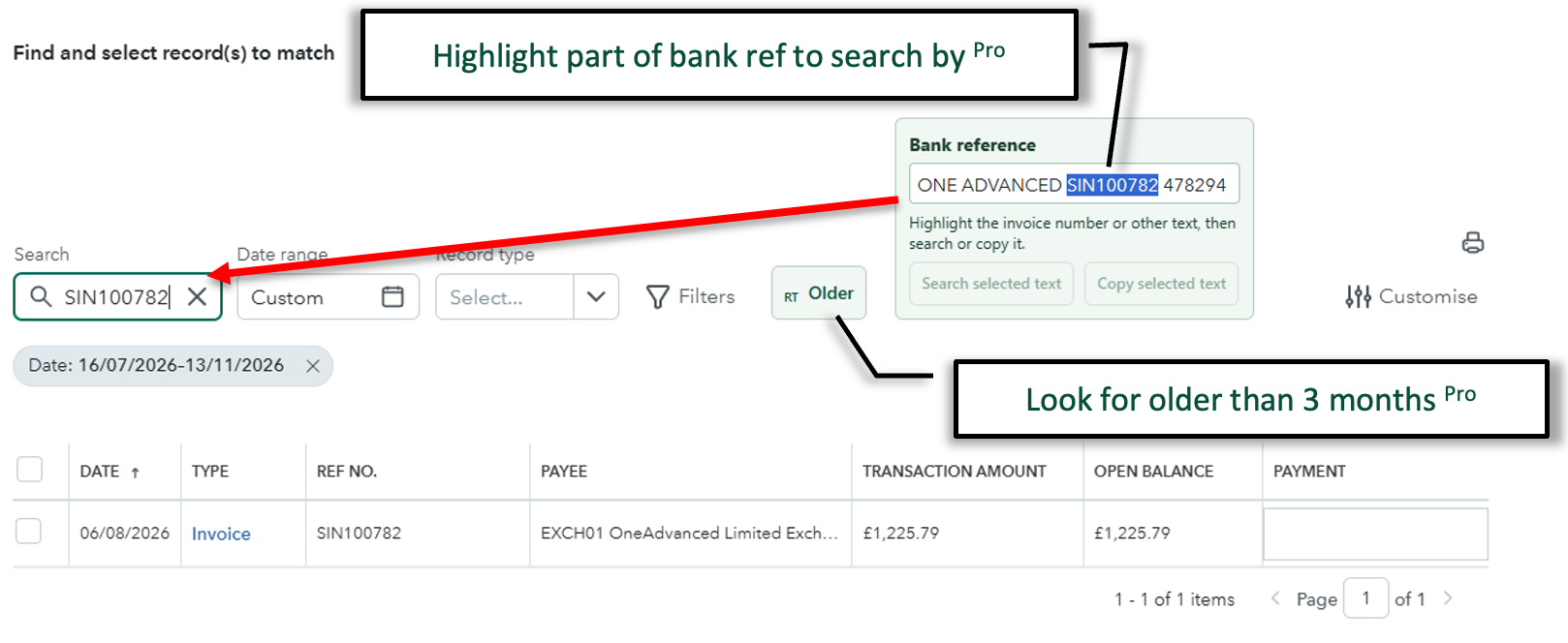
Matching a bank-feed item should not depend on the reference being perfectly formatted or the transaction falling inside a narrow search window. RachelsTools lets you pick out the useful part of a bank reference and search with only that text, while a quick date-range control helps uncover older transactions that QuickBooks would otherwise leave outside the usual results.
- Highlight an invoice number, payment code or other useful part of the bank reference.
- Send the selected text straight into the transaction search without retyping it.
- Copy the selected reference text when you need to reuse it elsewhere.
- Extend the search beyond the normal three-month window with one clear action.
- Reduce false results caused by extra wording, inconsistent references or older transaction dates.
Feature 30 · Bank matching range
Look further back without rebuilding the search.
Extend the normal three-month matching window to 6, 12 or 18 months when the expected transaction is older than the default QuickBooks results.
- Keep the current bank item and matching context in place.
- Expand the date range with one clear control.
- Find older invoices, bills and payments without starting over.